

Table of Contents
- Why Tracking Virtual Marathon Progress Matters
- Best Running Apps for Virtual Races
- How to Verify Virtual Running Distance
- Virtual Marathon Result Submission Guide
- Monitoring Your Progress Throughout Training
- Common Mistakes to Avoid When Tracking Progress
- Frequently Asked Questions
Last Updated: September 28, 2026
Why Tracking Virtual Marathon Progress Matters
Running a marathon alone feels different from racing in a crowd. There’s no roar of spectators, no defined finish line with officials waiting. This is precisely why the ability to track virtual marathon progress becomes essential when you choose a virtual marathon.
When you monitor your distance, pace, and completion milestones, something shifts. The run feels more real. You’re not just moving through the streets, you’re building evidence of an achievement. Tracking transforms a solo effort into a documented accomplishment.
The challenge isn’t just finishing 26.2 miles. It’s staying motivated when you’re running on your own schedule, in your own neighbourhood, without the infrastructure of a traditional race day. Many runners find that the act of recording their progress, watching numbers accumulate, and preparing evidence for submission keeps them accountable throughout training.
Tracking becomes the bridge between intention and completion. When you know you’ll need to verify your distance and submit your results, the training feels purposeful. You’re not just logging kilometres, you’re building a story you’ll be proud to share.
Best Running Apps for Virtual Races
Choosing the right app matters more than most runners realise. The wrong tool creates friction. You’ll skip recording runs, forget to save data, or end up with gaps in your evidence.
The best apps for virtual marathons combine three essentials: accurate GPS tracking, simple data export, and reliable cloud backup. Without these, you’ll spend race week scrambling to reconstruct your evidence instead of celebrating your achievement.
What to Look for in a Tracking App
Start with GPS accuracy. An app that drifts by even a few hundred metres compounds across 26.2 miles. Look for tools that use multiple satellite systems and correct for urban canyon effects where tall buildings block signals.
Next, check how easily you can export your data. Some apps lock your information in proprietary formats. You want something that gives you access to your raw GPS files or detailed summaries you can download and share.
Third, consider the interface. If you’re training for months, you’ll use this app dozens of times. A cluttered dashboard or confusing menu structure becomes annoying fast. The best apps get out of your way, you open them, start your run, and that’s it. Seamless integration between your hardware and software remains the final hurdle, which is why choosing from the best budget fitness trackers ensures your data flows reliably without adding unnecessary complexity to your daily routine.
Finally, verify that the app stores your data securely in the cloud. Phone damage, loss, or replacement shouldn’t erase months of training records.
How to Verify Virtual Running Distance
Verifying your distance is the critical step that transforms a solo run into an official achievement. This is where GPS data becomes evidence.
Most virtual race organisers accept one of two verification methods: GPS tracking data from a recognised app, or manual distance calculation using mapping tools. The method you choose depends on your equipment and comfort level with technology.
Using GPS Data for Accurate Measurement
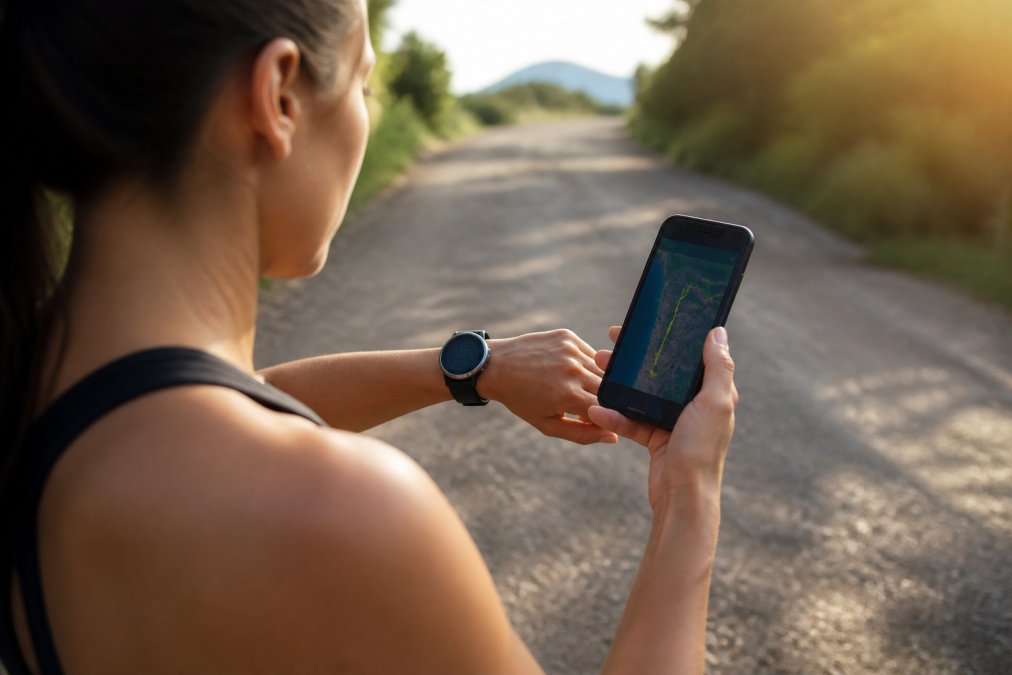
GPS tracking is the gold standard for virtual marathon verification. When you run with an app that records your location every few seconds, you create an undeniable record of your route and distance.
Here’s how it works in practice. Your smartphone or running watch uses satellites to pinpoint your location continuously. The app calculates the distance between each location point, adding them together to give your total. Over 26.2 miles, this creates a detailed map showing exactly where you ran.
The accuracy depends on satellite signal strength. Open roads and parks give the clearest signals. Dense urban areas or tree-covered paths can introduce small errors. Most modern apps are accurate to within 100 metres over a full marathon distance.
When you’re ready to submit your results, export your GPS data in a standard format. GPX files are widely accepted, they contain the complete route history that organisers can verify independently. Some apps also generate summaries with screenshots showing your distance, pace, and elevation.
Manual Distance Tracking Methods
Not everyone runs with a GPS device. If you’re using a basic phone or prefer not to rely on technology, manual distance tracking works too.
The simplest approach is to measure your planned route beforehand using an online mapping tool. Services like Google Maps let you draw your intended path and calculate the distance. You run that same route, and you’ve got your verified distance.
This method requires discipline. You need to stick to your planned course. You also need documentation, photographs at start and finish points, or a written log noting the date, time, and route name. Some runners photograph their odometer reading from a vehicle they’ve driven the route in beforehand.
Another option is to run on a measured track. Official running tracks are exactly 400 metres per lap. If you complete 104 laps, you’ve run 41.6 kilometres. This is verifiable and precise, though it’s mentally demanding to complete that many laps.
For urban runners, some local councils maintain marked running routes with distance signs. Running these established routes and photographing the distance markers provides evidence.
Virtual Marathon Result Submission Guide
Submitting your results properly is what makes your achievement official. This is where your tracking data becomes your medal.
The submission process varies slightly between race organisers, but the fundamentals remain consistent. You’ll need your verified distance evidence, your completion details, and proof that you ran during the designated race window.
Preparing Your Evidence
Start by gathering everything you’ll need before submission day. This prevents last-minute scrambling.
If you used a GPS app, export your data immediately after your final run. Don’t wait a week, while the data is still fresh in the app’s cloud storage. Most apps let you download GPX files or take screenshots of your summary. Save these to your computer and a cloud storage service like Google Drive or OneDrive.
Photograph your evidence. Take a clear picture of your phone screen showing your completed run with the distance visible. If you used a running watch, photograph that display too. For manual tracking, photograph your route markers or measurement documentation.
Write down your run details: the date you completed the marathon, your total time, the weather conditions, and any notes about your route. This context makes your submission more credible.
Organise everything into a single folder on your computer. Name it clearly: “Marathon Evidence, [Your Name], [Date]”. Include your GPS file, screenshots, photographs, and written notes. This organisation takes five minutes but saves hours if organisers need clarification.
Submitting Your Results
Most virtual race organisers have an online submission form on their website. You’ll upload your evidence files and enter your details.
Start by creating an account on the race website if you haven’t already. Fill in your personal information, name, email, age category if applicable. Then navigate to the results submission section.
Upload your GPS file first. This is your primary evidence. Then add your photographs and screenshots. Most forms allow multiple file uploads, so include everything you’ve prepared.
Write a brief description of your run in any text field provided. Something like: “Completed 26.2 miles on [date] starting at [location] and finishing at [location]. Route verified using [app name] GPS tracking.” This narrative helps organisers understand what they’re reviewing.
Before hitting submit, double-check that all files have uploaded correctly. Some systems show file size or confirm successful upload. Make sure you’ve included your GPS data, this is non-negotiable for most organisers.
After submission, you’ll usually receive a confirmation email within 24-48 hours. The race organiser reviews your evidence and approves your results. Once approved, your achievement is official. Your medal is earned.
Monitoring Your Progress Throughout Training
Tracking during training is different from verification at the finish line. During training, you’re building consistency and confidence.
The goal isn’t perfection, it’s visibility. You want to see patterns emerge. Which days do you run fastest? Which routes feel strongest? When do you struggle? This data guides your training adjustments.
Setting Realistic Weekly Targets
Most marathon training plans span 16-20 weeks. You’ll build from your current fitness to 26.2 miles gradually.
If you’re currently running 10 kilometres per week, don’t jump to 40 kilometres immediately. The injury risk is real (Checking your browser).
Staying Motivated Between Runs
Motivation fluctuates over months of training. Some weeks you’ll wake up eager to run. Other weeks you’ll need to push yourself.
Common Mistakes to Avoid When Tracking Progress
Most runners make predictable errors when tracking virtual marathons. Learning from these mistakes saves you frustration.
Frequently Asked Questions
How do I prove my virtual marathon distance?
You can prove your distance using GPS data from a running app, a GPS watch, or a smartphone with built-in tracking. Most virtual race platforms accept screenshots of completed routes, app summaries showing distance and time, or official race certificates from your tracking device. Some platforms also accept smartwatch data synced through fitness accounts. Always check the specific submission requirements before you run, as different events have different evidence standards.
What apps are best for tracking virtual race progress?
Popular running apps for virtual races include Strava, which records GPS data and allows you to share activity summaries; MapMyRun, which maps your exact route and distance; and Garmin Connect, ideal if you use a Garmin watch. Many runners also use Apple Health or Google Fit for basic distance tracking. Choose an app that syncs easily with your device, displays distance clearly, and produces shareable evidence for race submission.
Can I run my virtual marathon in segments?
Yes, most virtual marathons allow you to complete the distance across multiple runs within a specified timeframe, typically over a few weeks or months. This flexibility is one of the main benefits of virtual racing. Simply track each run separately using your chosen app, then add up the total distance when you submit your results. Ensure all runs fall within the official race window and that you keep records of each session for verification.
Do I need a GPS watch to track a virtual marathon?
No, a GPS watch is not essential. A smartphone with a running app provides accurate GPS tracking and is sufficient for most virtual marathons. However, a dedicated GPS watch offers advantages like longer battery life, more precise distance data, and hands-free tracking during your run. Choose whichever device you’re most comfortable with, as long as it records accurate distance and produces evidence acceptable to your race platform.